Find your rhythm.
Set your starting balance for each day of the week. Different weekdays and weekends? It's up to you.
MORE LIFE. MORE MINDFUL SCREEN TIME.
Make screen time a conscious choice. With a time account that fits your everyday life — and moves with you.
01 / HOW IT WORKS
You set the framework. Your everyday life brings it to life.
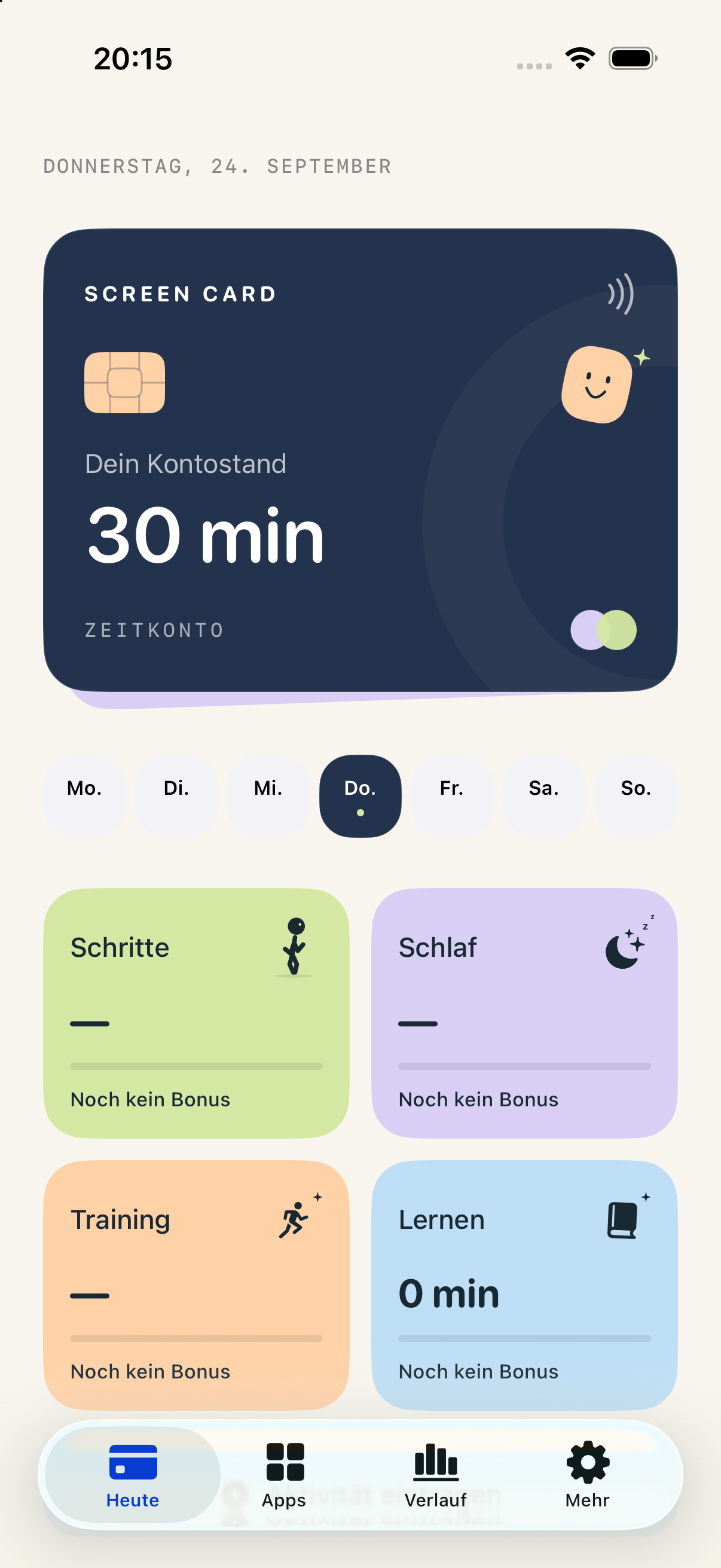
Set your starting balance for each day of the week. Different weekdays and weekends? It's up to you.
Walk, work out, sleep or learn. Your activities can earn extra leisure minutes.
Your selected leisure apps use your balance. When it runs out, they pause until time is available again.
02 / GOOD HABITS COUNT
You choose which activities count and how many minutes they earn. Apple Health is optional.
A walk becomes more than a breath of fresh air. Steps can top up your time account.
1,000 steps → 3 minutes*Rest counts too. Getting enough sleep can earn you a daily bonus.
7 hours of sleep → 10 minutes*Your workouts in Apple Health become extra time for your leisure apps.
15-minute workout → 5 minutes*Use learning apps or log reading, creative time and your own activities manually.
5-minute activity → 3 minutes** Examples use the default weights. Bonuses have daily limits and can be adjusted or disabled.
03 / A CLEARER PICTURE
A clear balance, without the guilt. Screen Card helps you shape your own relationship with screen time.
A separate budget for each day. Every new day starts with a fresh balance; unused time does not roll over.
Choose which leisure apps, categories and websites belong to your time account.
Widgets show your remaining balance. History shows how your time was earned and spent.
Your time balance is stored locally on your device. You don't need an account to use the app.
No. Apple Health is optional and, with your permission, provides step, workout and sleep data. Your weekly plan and manually logged activities work independently.
Screen Card shields your selected leisure apps and websites using Apple's Screen Time features. New bonuses can unlock them again. The next day brings your new starting balance. This requires active Screen Time permission and a configured selection.
Screen Card is designed for voluntary self-management. It is not tamper-proof parental control. iOS controls reporting and widget updates; the display is not a live, second-by-second counter.
Screen Card is designed for iPhone and iPad running iOS or iPadOS 18 or later. Feature availability depends on the device, system permissions and available data.